NewAnnouncing Filter your feed by source, just ask the AI

Multi-Location Google Posts Scheduler

Never ever forget to inform your local customers about new updates, offers, or events with posts that appear on your Google business listing.

Google posts scheduler

Available now for all users on paid plans.
Multiple locations or an agency? No problem!

Publish and schedule posts on multiple Google business profiles in seconds.

Schedule the same Google posts on multiple locations in seconds

When you need to make a company-wide announcement to multiple Google business profiles, just select the locations and schedule the posts error-free and in seconds.

Google posts scheduling multi locations

Cross-post to different social media networks

Do you need to share simultaneously with your Google locations, Threads, Instagram, or Linkedin?

No problem. You can schedule all your social media content from one single screen, saving you lots of time and effort when cross-posting all your profiles.

Feed card styles setting

Get content ideas faster with AI caption generator

Use the simple AI caption generator to get ideas for your next post. Just type a few words about the context of the Google post and click Generate caption. Fast and easy!

Social media caption AI generator
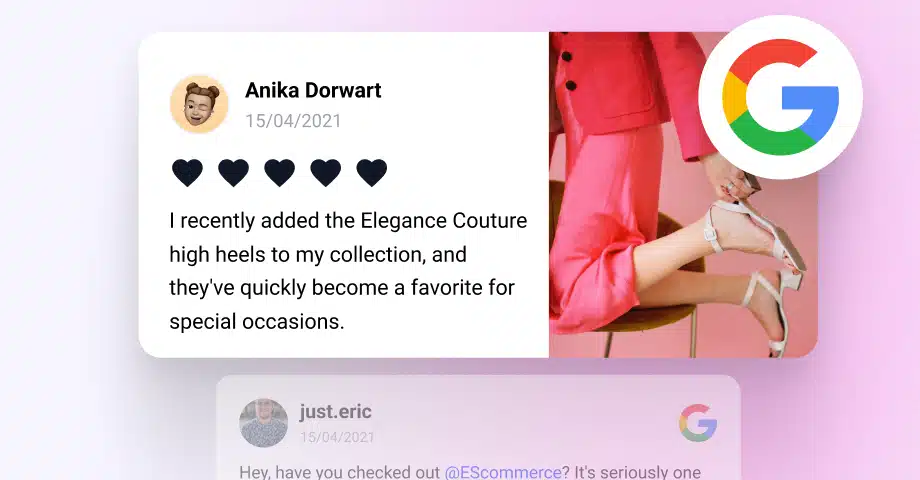
Repost Google Reviews

Turn Google Reviews into social media content

Easily transform your Google reviews into ready-to-share posts. Use the built-in scheduler to automatically publish them on platforms like Instagram, LinkedIn, Threads, or even across multiple Google Business Profiles.

Customize the look, highlight key feedback, and keep your social channels full of fresh, trust-building content-without lifting a finger.

Repost google reviews social media

How to schedule Google My Business posts?

Here are the steps on how to schedule your next Google posts.

  1. 1. Connect your Google Business Profiles.
  2. 2. Go to Publishing and create a post.
  3. 3. Fill in the necessary post information and click Schedule.
Steps to schedule Google posts

FAQs about our GBP Software

Have a specific question about using the GBP software by EmbedSocial? Check the FAQ section below or click the bottom right chat icon and talk with us.

What is GMB Scheduler?
A GMB Scheduler is a tool or software designed to help businesses automate the process of creating and publishing posts to their Google My Business (GMB) profiles.

This tool allows users to plan, create, and schedule posts in advance, including updates, offers, events, and news related to their business.

The scheduler ensures that these posts go live at predetermined times, enabling businesses to maintain a consistent online presence, engage with their audience effectively, and manage their content calendar more efficiently without the need to manually post in real-time.
How to delete a post on Google Business Profile?
To delete a post from your Google Business Profile, follow these steps:
1. Sign in to your Google My Business account.
2. Find the post you want to delete, click on it, and then click on top-right three dots icon.
3. From the dropdown choose 'Delete'.

Confirm the deletion when prompted.

Please note that the process might vary slightly depending on updates to the Google My Business interface or the device you are using (desktop vs. mobile).
Why is it important to publish Google posts?
Publishing Google posts is essential for boosting a local business's online presence due to:

Increased search visibility: Posts enhance your business's visibility in Google's search results and Maps, making it easier for potential customers to find you.

Direct engagement: Google posts allow you to directly engage with your audience, sharing timely updates, offers, and news right where they are searching.

Promotional opportunities: They provide a platform to promote special offers, events, and new products or services, driving more foot traffic and conversions.

Improved local SEO: Regularly updating your Google My Business profile with posts can positively impact your local search rankings.
Can I upload an image in the Google post?
Yes, you can upload an image in your Google post to make it more engaging and visually appealing. When creating a post in EmbedSocial you will see an option to add an image or photo.

Ensure your images are high-quality and relevant to the content of your post to attract more attention and engagement from viewers.

Please note that videos are currently not supported as Google posts.
Can I publish the Google post immediately?
Yes, you can choose to publish your post immediately on Google My Business. When creating a post, either directly through Google My Business or using a Google posts scheduling tool like EmbedSocial, you should have the option to publish it right away instead of scheduling it for a later date.

If you're using the EmbedSocial scheduling feature, simply select the option to 'Publish Now or set the scheduling time to the current time, and your post should go live shortly after submission.

Start free.
All features included.

Schedule a demo or start your free trial.

$

9.00

per month, starting with 2 locations.

Sign up for a complete Google Business Profile management platform.

  • + GBP Dashboards
  • + GBP Publishing
  • + GBP Bulk Editing
  • + Google reviews management
  • + Reviews responder
  • and more.
Start 7-day free trial

All features included.

Official API integrations

We are not using any scraping. Everything works on the official Google Business Profile API.

Dedicated support

For any help, just contact our Live chat team; we are here to answer any questions you might have.

Risk-free

If itโ€™s not for you, cancel or request to delete your account.

GDPR-compliant and ISO certified

We are an ISO-certified company with GDPR policies in place.

What our users are saying:

Nick Poggi
TrovaTrip increased booking conversion rates by 12% with customer testimonials in just 4 weeks

Nick Poggi

TrovaTrip

Ryan Hazlewood
The team at Embed Social is so easy to work with. They are very quick to respond to any special requests and fast to implement account changes. Aside from the great customer service, their products are also very easy to use and offer a lot of freedom that you can't get with other similar products. Definitely recommend.

Ryan Hazlewood

Developer