Save time to create content for website updates
Create a live Instagram feed that auto-updates and provides fresh content on your website, automatically.
Connect your Instagram account and display a live feed on any website, no code required.




Loved by 400,000+ big and small brands. World-famous and local


Embed Instagram widget to enable user-generated content on your website. Showcase Your Products with Authentic Instagram Web Widgets.
Create a live Instagram feed that auto-updates and provides fresh content on your website, automatically.
Provide authentic content that creates interaction with web visitors, boosts engagement, and leads to more conversions.
Add a ‘Follow us’ button inline or in the popup of the Instagram widget and navigate the web visitors to your Instagram account.
Choose an Instagram widget template, connect your Instagram source, and publish a conversion-focused Instagram widget with live social proof.
Your user-generated content deserves better than static widgets, especially when showcasing UGC on your website. Want to try it free first? Start with our <a href="/free-instagram-widget/">free Instagram widget</a>.
Describe the Instagram widget you want, and AI builds it. Generate Instagram carousel widgets, sliders, and galleries. from a simple prompt to an embedded feed.
AI categorizes Instagram content automatically and keeps your Instagram feeds structured. Your feed stays organized.
AI scores Instagram posts before display and content filters apply automatically.
Describe the Instagram widget you want, and AI builds it. Generate Instagram carousel widgets, sliders, and galleries.

AI categorizes Instagram content automatically and keeps your Instagram feeds structured. Your feed stays organized.

AI scores Instagram posts before display and content filters apply automatically.

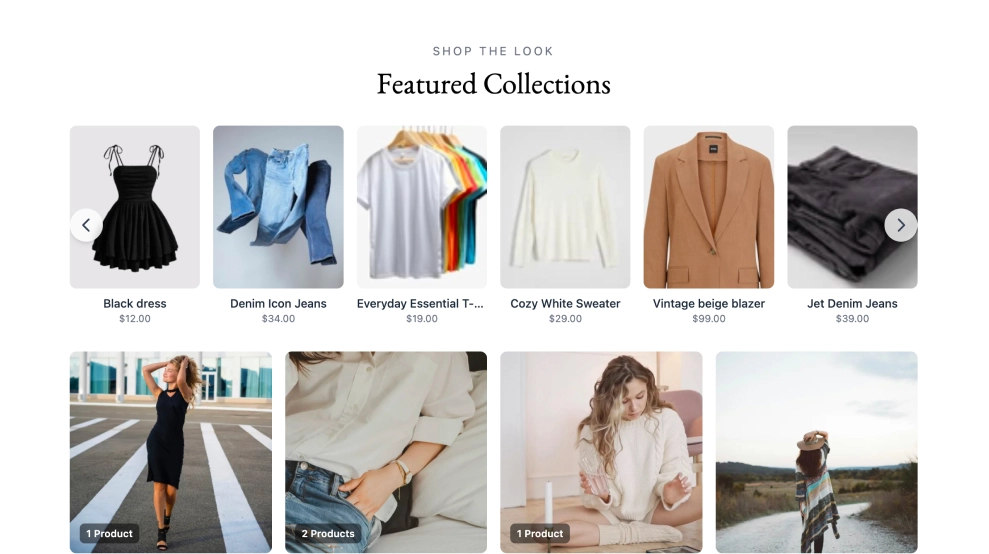
Add 'Buy' buttons on your user-generated content and embed shoppable Instagram feeds on your website. Tag each photo with multiple links in the area where you showcase your products that will redirect to the checkout pages on your website.

This is the best Instagram widget editor with 100% customization. Use different color AI prompts to customize the overall look of the posts in your feed. Change the card's background color, buttons, and text all with one single prompt.

Make the look of your Instagram widget for your website like no other. Alongside the familiar squared images Instagram feed look, the card style setting will transform your posts, photos, or Reels into more modern designs: like a vertical focus only on videos or a focus on the text caption with landscape style.

Fully customize the header on top of the Instagram feed. Prompt the AI assistant to edit the title, descriptions or the CTA and the 'follow us' buttons. You can further change colors, backgrounds and icons and much more.

With direct, approved integration with the Instagram API, we are able to generate Instagram posts automatically and display Instagram images, carousel posts, and other Instagram content in a web widget. The same goes for posts that are published with your branded hashtag or if someone mentions your Instagram profile in their posts. The platform incorporates all API changes to generate Instagram photos seamlessly and create an Instagram gallery for your website.

Robust editor with tons of widgets and customization options.
Code that works on any web platform that supports JavaScript.
Mobile-friendly widgets that fit any device size.
Construct a combo widget that will include posts from various sources.
Stay on brand and make your own style and design for unique widgets.
All social media sources are included in every paid plan such as Twitter and Facebook widgets.
Sync all social media posts automatically and create an entire widget that you can embed on any website.
Create multiple widgets and embed your Instagram widget code on various websites from multiple social media platforms.
Show a Follow button with a link to your Instagram account to help you drive traffic and increase followers.
Use the 10+ languages available in the platform to localize the widget for your web visitors.
Categorize the Instagram posts by tags and organize them by date, rating, or filter by keywords.
Insights on which posts get the most views and clicks on your website. Available for Premium plans.
Configure the title, padding, or image size, edit widget title, size, and color, or use custom CSS.
Adding custom posts allows you to enrich your walls with engaging and unique content easily.
No. You can embed your new section widget on any website, CMS, or web builder. Works with WordPress, Lovable, Bolt, Wix, Webflow, Duda, Shopify, custom React applications, and other custom code. Plus, it updates automatically.
Start collecting Instagram posts and embed them on any website.
Once you log in to EmbedSocial, go to Sources and choose Instagram as a source for your social media feed. Here you have options to add more sources like TikTok, YouTube channel, or Facebook page and create a complete social media wall.

Due to direct Instagram integration for seamless content generation, you will be required to connect your Facebook account connected with your Instagram business or personal account from where you want to get Instagram posts, videos, and photos. Once you do this, you can pull all your content automatically.

Create and customize your Instagram widget in the widget editor and use the customization options to make your post fit your website design.

Once you customize the Instagram widget for your website, you will only need to copy the provided JavaScript code or use iframe code to embed it in the HTML code of your website. The widget will appear immediately on your website.

Intuitive interface, pre-built Instagram widgets library for a simple setup process.
Editor designed to build any Instagram widget design with ample customization options.
Mobile-friendly Instagram HTML widget that adapts to different screen sizes for both.
Optimized for fast loading times, as page speed is crucial for SEO and user experience.
Backed by reliable customer support to assist you with issues or using Custom CSS for more personal design.
Choose EmbedSocial’s Instagram widget that provides you with new features regularly.
Browse Instagram-adjacent feeds, review widgets, and section blocks. No coding required.
Show Instagram feed.
Display YouTube.
Embed X widgets.
Embed LinkedIn.
Embed Google reviews.
Embed playlist
Embed Threads.
Embed Trustpilot reviews.
Shop my feed
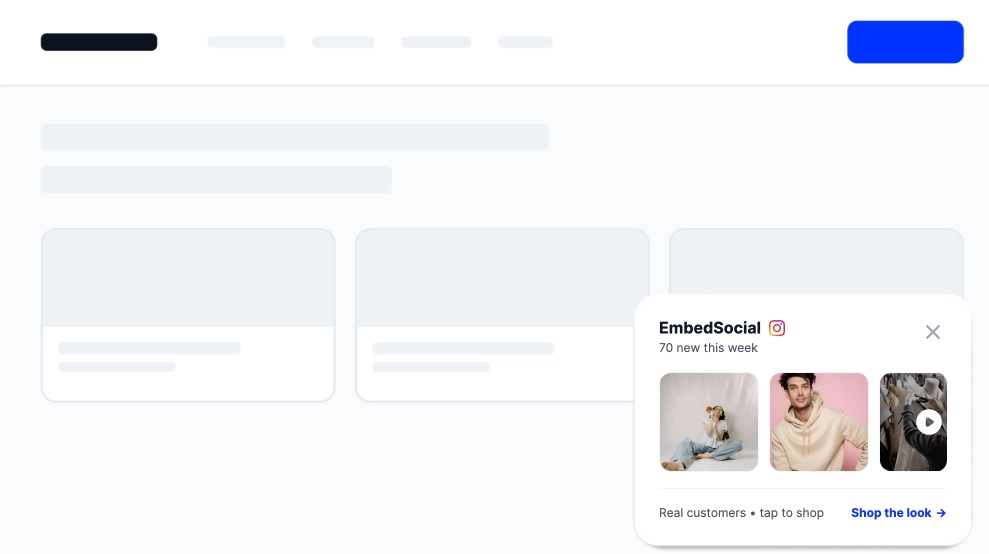
Social proof display
Embed hero
Link in bio page
Embed popup
Embed Reels.
Embed stories
Embed hashtag feed
Embed Facebook.
Show TikTok videos.
Embed YouTube hashtag
Embed Pinterest
Embed Vimeo
Embed FB reviews.
Embed Yelp reviews.
Display customer reviews.
Show review badges on your site.
Showcase customer love.
Embed testimonials
Embed Social wall
Embed Shorts
Embed carousel
One platform for embedding instagram content as live, customizable widgets on any website. works on every major CMS and builder.
29.00
month
Don’t let your Instagram feed live only on Instagram. Embed it where your customers convert.
EmbedSocial has official API integrations with all major social media networks.
We design interactive social media widgets that load fast on your website.
If it’s not for you, cancel or request to delete your account.
Just click the bottom left chat icon, and our team will assist you in real-time.
 4.9/5(202)
TrovaTrip increased booking conversion rates by 12% with customer testimonials in just 4 weeks
Nick Poggi
TrovaTrip
The team at Embed Social is so easy to work with. They are very quick to respond to any special requests and fast to implement account changes. Aside from the great customer service, their products are also very easy to use and offer a lot of freedom that you can’t get with other similar products. Definitely recommend.
Ryan Hazlewood
Developer
EmbedSocial allows us to showcase social media content on our web pages in a way that’s both functional and vibrant. Their library of social feed designs integrates seamlessly with our existing components and is easy to use for page editors of all skill levels.
Zanna Ollove
Boston College
The experience with EmbedSocial has been amazing. We’re always looking for ways to leverage our time, so finding a product to keep our reviews fresh automatically was a no-brainer.
Brooks Hitzfield
Seven Sons
Have a specific question about embedding the Instagram widget? Check the FAQ section below or click the bottom right chat icon and talk with us.
An Instagram feed widget is a tool that automatically pulls your Instagram posts and displays them on your website as a live, scrollable gallery. EmbedSocial's Instagram feed widget connects directly to your Instagram account via the official API, syncs new posts in real time, and lets you customize the layout, colors, and filters without any coding.
Sign in to EmbedSocial, connect your Instagram account, choose a layout, then copy the embed code. Paste it into any page on your website. works on WordPress, Wix, Squarespace, Shopify, Webflow, and any site that accepts custom HTML. New posts sync automatically after setup.
Yes. EmbedSocial has a free Instagram feed widget that displays your latest posts with automatic syncing and multiple layout options. The free plan works on any website platform. Paid plans add AI content moderation, hashtag and mentions feeds, Instagram Stories and Reels display, and multi-account management.
No. EmbedSocial's Instagram widget loads asynchronously, so it never blocks your page from rendering. The embed uses lazy loading, meaning it only activates when a visitor scrolls near the feed. Most websites see no impact on Core Web Vitals or page speed scores.
Yes, the system supports multiple social platforms to connect to the same account and generate feeds. Check our pricing plans and choose which plan suits the number of pages and accounts you have.
Yes, you can handpick which photos show in your feed published on your website. The moderation options are various, which means you can filter only posts posted after specific dates or posts that include certain words.
Yes, you can turn off or on to do social media aggregation automatically.
Yes. EmbedSocial gives you full control over how your Instagram feed looks. You can choose between grid, slider, masonry, or highlight layouts, adjust the number of columns and rows, set a color theme, add custom CSS, and control whether captions, likes, and comments are shown. Changes preview in real time inside the editor before you publish.
Yes. EmbedSocial lets you tag products directly on individual Instagram posts inside the widget. When a visitor clicks a post, they see the product tag with a link to your store. This works on any website platform and doesn't require a separate Instagram Shopping account, you manage all product links from inside the EmbedSocial dashboard.
EmbedSocial can pull posts from any public Instagram profile by using URLs to posts, not automatically. This is useful for displaying brand ambassador content, partner feeds, or curated industry accounts. You can also combine posts from multiple public profiles into one widget and apply moderation filters to control exactly what gets displayed.
EmbedSocial generates a standard HTML embed code for your Instagram widget. In Notion, add a new block, select Embed, and paste the embed URL. Notion renders the live widget directly on your page. Note that Notion embeds work best in published pages, the widget may not display in edit mode depending on your workspace settings.
Yes. EmbedSocial works on any platform that accepts an HTML embed code or JavaScript snippet, including Instagram widget for WordPress, Wix, Squarespace, Shopify, Webflow, Framer, Weebly, and custom-built sites. For WordPress there is also a dedicated plugin. If your platform supports custom HTML blocks or code injection, the widget will work.
Start with the step-by-step guide to embed an Instagram feed on any website, or browse the ready-made Instagram widget templates. If you want stories on your site, see how to embed Instagram Stories. To keep up with the platform, check the new Instagram features in 2026, and use the free Instagram Reels downloader to save videos for your campaigns. For real examples, see how Pepe's Pizzeria keeps its restaurant website fresh with an Instagram feed, or how Boston College shows campus life through embedded Instagram content.
Create a live Instagram widget, customize the layout, and publish it in minutes. All features included.