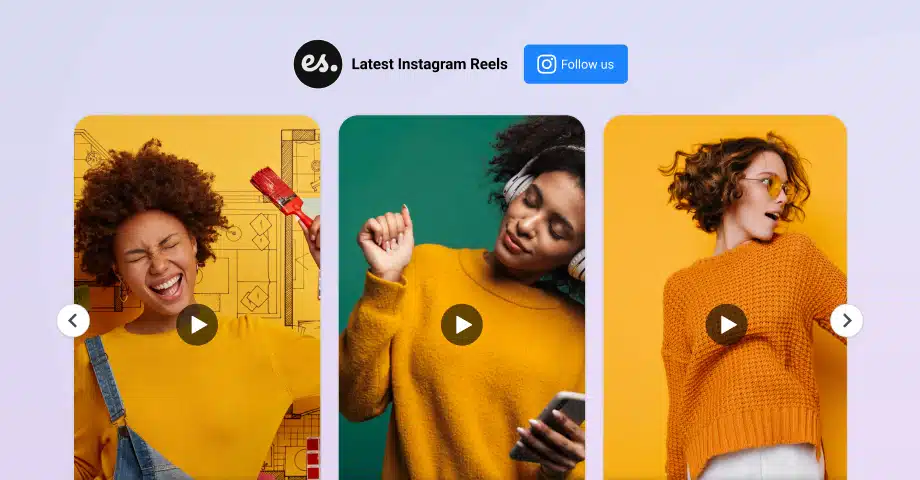

If you are looking to embed Instagram Reels on your website, these short, engaging videos that are taking the platform by storm, you need the right tools for the job!
While Instagram offers a way to embed individual Reels manually, it’s better to embed Instagram Reel examples via a third-party platform like EmbedSocial.
And trust me, you’ll want to add these interactive videos to your site, as they enrich your pages and reach tens of thousands of your followers across social media.
Whether you’re a brand, creator, or agency, showcasing Reels on your site helps you stay relevant and boost visibility, especially with the younger audience.
Let’s embed Instagram Reel on website to get it looking fresh and dynamic!
How to embed Instagram reels on website manually [one at a time]?
Instagram’s native ‘Embed’ option is rather limiting when it comes to embedding Instagram content on your website for several reasons:
- You can only embed one Reel at a time
- Your embedded widget does not update automatically
- You cannot customize the look of the widget
That said, here are the steps to add Instagram reels to a website manually:
- Log into Instagram via a web browser
- Find the Reel you want to embed on your website
- Tap the three-dot icon at the bottom right
- Press ‘Embed’ → ‘Copy embed code’
- Open your website-building platform and paste the code

Once you embed Instagram video posts, this is how they look like:

How to embed Reels on website automatically? [Best method]
Instead of being limited by the method above, you can rely on a third-party social media aggregator like EmbedSocial to create responsive Instagram Reels widgets that update automatically and look great on any website builder.
This Instagram embed Reel process via EmbedSocial includes a few steps:
- Create your EmbedSocial account
- Connect your Instagram account
- Design your Instagram Reels widget
- Filter your widget to showcase Instagram Reels only
- Copy and paste the code onto your website
Step 1: Create your EmbedSocial account
First things first, you need to make an EmbedSocial account and log in.
Step 2: Connect your Instagram account
Next, you have to connect your Instagram Reels source. You can choose between different content types, each of which might contain Reel content:
- @Business: your own business Instagram account with all its content
- #Hashtags: content containing specific Instagram hashtags
- @Mentions: other users’ posts that mention your account
- @Stories: Instagram stories published on your account
- URL links: specific Instagram Reels links copied manually

Note: EmbedSocial allows you to combine multiple sources into one widget.
Step 3: Design your Instagram Reels widget
This is the fun part: you get to choose your widget template, such as the ready-made Reels Testimonials Carousel, and further customize it to fit your website design exactly in terms of colors, size, and shape:

Step 4: Filter your widget to showcase Instagram Reels only
Depending on the source you use, you may have to moderate your Instagram Reels widget to only show videos, which you can easily do via the ‘Moderation’ tab:

Step 5: Copy and paste the code onto your website
Last but not least, you have to copy your embeddable widget code, open your CMS, place an empty HTML element, and finalize the embed code paste:

That’s it! Now you have a live widget on your website and, best of all, your Instagram Reels automatically update when you add new content to your socials. Beyond reels, you can showcase all your posts with an Instagram feed widget for your website.
How to embed a single Instagram Reel via EmbedSocial?
If you only want to add a single specific IG Reel and customize its widget, follow these steps:
Step 1: Copy the embeddable Reel code via Instagram
Open the Instagram Reel in question on desktop, press ‘Embed’ and then ‘Copy embed code’:

Step 2: Add Instagram as a source in EmbedSocial
Next, log into your EmbedSocial account and add Instagram as a source:

Step 3: Choose a custom URL source and paste your link
You have to choose ‘Add post via URL’ and then paste the Reel URL in the field:

Step 4: Create your widget and embed it on your site
The last phase involves you creating and customizing your widget, copying its code from the ‘Embed’ tab (top-left), and then pasting that code in your website builder:

Why use EmbedSocial to embed your Instagram content?
EmbedSocial is a complete UGC platform that can aggregate all sorts of social media content, in addition to Instagram Reels, as it has a direct API connection to all popular platforms, such as Facebook, Instagram, TikTok, Threads, YouTube, and more.

Once you create your account, you get access to all sorts of features:
- Fully responsive and customizable widgets
- Real-time widget updates for a fresh feed
- Easy installation without any coding knowledge
- Advanced content moderation and filtering
- Widget analytics regarding its performance
- Shoppable UGC widgets to increase sales
Sounds like a lot? Well, there’s more! And you can try out EmbedSocial’s widget for free for seven days. All you need to do is sign up!
Also, if you are only planning to embed an Instagram feed for free, you can try out our free version, which allows you to connect your Instagram business account.
How to finalize your Instagram Reels embed on different website builders?
If you want to add Instagram reels to web pages, the process may differ slightly depending on your website builder. Here’s how to do it on all popular options:
Instagram Reel embed: Live demo
Once embedded via EmbedSocial, this is how your Instagram Reels can look:
What are Instagram Reels, and why embed them on your website?
Instagram Reels are short-form vertical videos designed to captivate attention in seconds, and they’ve quickly become one of Instagram’s most powerful formats.
‘Instagram Reels’ definition
Due to their nature, when you embed Instagram Reel widgets on your website, you’re not just adding video, you’re unlocking a range of benefits:

- Enhance website user engagement: interactive reels encourage website visitors to stay longer and explore more;
- Add fresh, dynamic content: embedding Instagram reels keeps your pages visually updated without constant manual work;
- Showcase your creativity and voice: Reels allow brands and creators to express personality right on the homepage or blog;
- Drive traffic back to Instagram: viewers can click to your Instagram profile, increasing exposure and follower count;
- Leverage authentic user-generated content: embed reels from real customers to build trust through social proof;
- Improve SEO performance: engaging Instagram reels on your site may reduce bounce rates and increase dwell time.
As you can see, once you add Instagram Reels to your web content, you turn your static pages into dynamic, scroll-stopping experiences.
Plus, integrating Instagram Reels UGC should also boost your social media following, as your visitors can navigate to your page.
Creating the best Instagram Reels widgets: 5 best practices
EmbedSocial’s Instagram Reels instantly boost your website when embedded with intention. Here’s sound advice to make the most out of your Instagram Reels widgets:

1. Prioritize mobile responsiveness
Most users scroll through content on their phones, so your Instagram Reels widget must look great on every screen.
Make sure the layout is responsive, the video ratio holds up, and the reels don’t break the user experience on mobile.
📌 Example: A fashion retailer embedded a mobile-optimized Reels widget that boosted conversions by 22% on mobile devices.
2. Use moderation features to filter your content
Your website represents your brand, so don’t showcase every reel by default.
Use a tool that lets you manually approve Instagram Reels or filter them by hashtag or content type, keeping the Instagram Reel feed clean and on-brand.
📌 Example: A travel blog filtered their Instagram Reels to show only videos with the hashtag #NomadViews, keeping the feed highly curated.
3. Combine Reels with other Instagram content
To add depth, mix your Instagram reels embed with image posts, stories, and user mentions.
This not only diversifies your content but also gives your audience more reasons to engage with your site.
📌 Example: An eCommerce brand combined Reels with user-tagged photo posts to build trust and highlight product authenticity.
4. Place the widget where it matters
Where you embed Instagram Reel widgets on your site can impact how users interact with them.
Always aim to place the widget above the fold or on pages that get high traffic, like your homepage or product pages.
📌 Example: A skincare company added their Instagram Reels on the homepage hero section and saw a 35% lift in engagement.
5. Match your website’s design
Customizing your widget makes it feel like a natural part of your site, not a bolt-on.
Adjust the font, colors, spacing, and layout to reflect your brand’s visual identity and ensure a seamless user experience.
📌 Example: A food blogger used earthy tones in the widget design to align perfectly with the look and feel of their recipe site.
Conclusion: Bring your website to life via Reels widgets!
Instagram Reels aren’t just for Instagram, they belong on your website too!
After all, when you embed Instagram Reels, you instantly make your website pages more dynamic, engaging, and visually compelling.
Whether you’re showcasing products, customer feedback, or behind-the-scenes content, Reels help your brand stay fresh and relatable.
With the right widget and a few best practices, you can add Instagram Reels to web pages in minutes, no coding, no stress.
One such option is EmbedSocial, as it allows you to collect your Instagram Reels, moderate them, and add Instagram Reel to landing or blog pages in minutes!
So, start embedding Reels today to turn passive visits into meaningful interactions.





![11 Best Social Media Widgets for Websites [+Top Use Cases]](https://embedsocial.com/wp-content/uploads/2023/03/Social-Media-Carousel-widget-template.webp)
![How to Embed Testimonials on Website in 2026 [2 Methods + Tips]](https://embedsocial.com/wp-content/uploads/2022/11/testimonials-dark-single-slider.jpg.webp)
