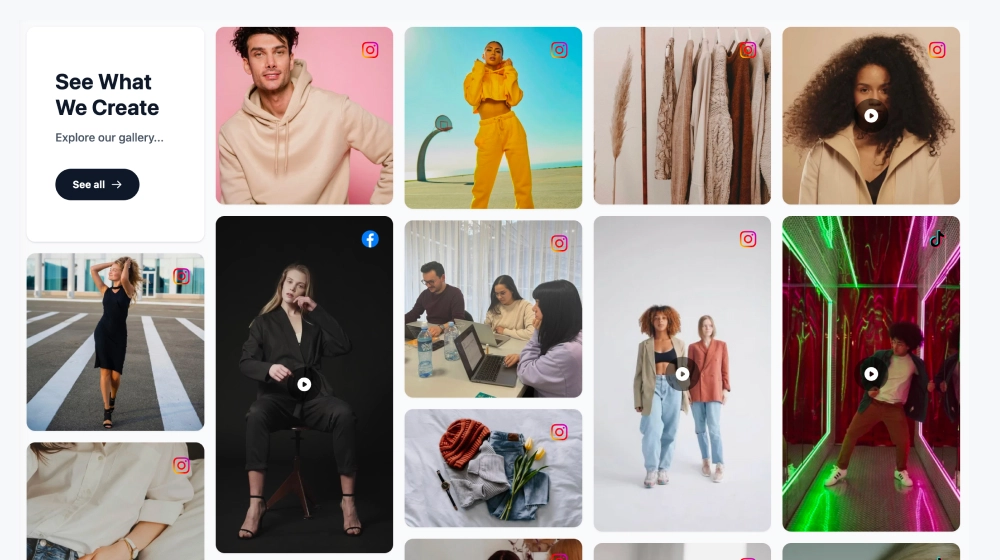
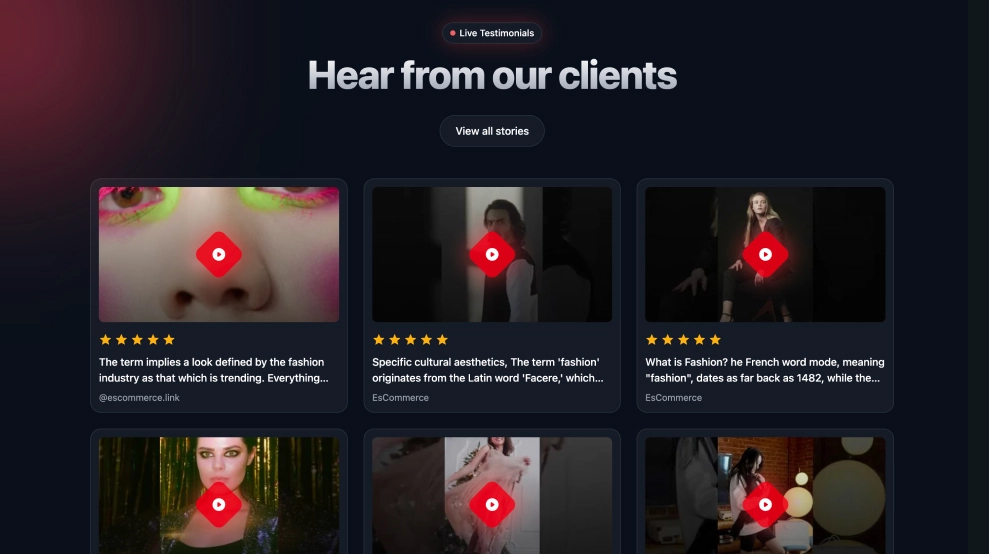
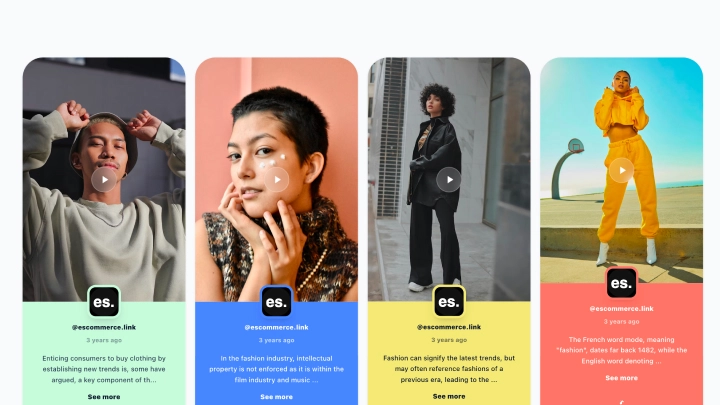
The TikTok Video Feed Widget (Community Grid) showcases your latest TikTok videos in a clean, website-ready grid, perfect for highlighting your community content and keeping your site fresh. Each video appears as a tall, mobile-style card with a play overlay, creator handle, and preview text, making it easy for visitors to explore and watch.
Features
-
Vertical video grid: Displays TikTok videos in tall, scrollable cards that match the native TikTok format
-
Section header + branding: Title area like “Acme TikTok Community” with a category label (e.g., Community)
-
Follow button CTA: Prominent Follow @yourhandle button to grow your TikTok audience from your website
-
Play overlay on thumbnails: Clear watch prompt on every card for higher clicks
-
Creator handle shown: Reinforces authenticity and UGC/community vibes
-
Caption snippet + timestamp: Shows a short description plus “x years ago” style posting time
-
Clean card styling: Rounded corners, soft shadows, and consistent spacing
-
Responsive layout: Adapts smoothly across desktop, tablet, and mobile screens
Use cases
-
Homepage community section: Showcase real TikTok content to build trust and engagement
-
Ecommerce product pages: Add short demos, styling clips, and UGC reviews
-
Brand campaigns & hashtag pages: Feature community videos around a challenge or launch
-
Creator/agency sites: Display your best TikTok content as a portfolio feed
-
Landing pages: Increase time-on-site with snackable video content
How to embed
-
Connect your TikTok source in EmbedSocial (profile or campaign/hashtag source, depending on your setup).
-
Select the TikTok Video Feed template from the templates library.
-
Customize the header title and enable the Follow button.
-
Choose how many videos to show and adjust grid spacing/card size.
-
Copy the embed code (JavaScript or iFrame).
-
Paste it into your website builder/CMS (Shopify, WordPress, Webflow, Wix, Squarespace, or custom HTML) and publish.
Bring your TikTok community to your website, embed the TikTok Video Feed Widget and turn vertical videos into a scroll-stopping section that drives views and followers.