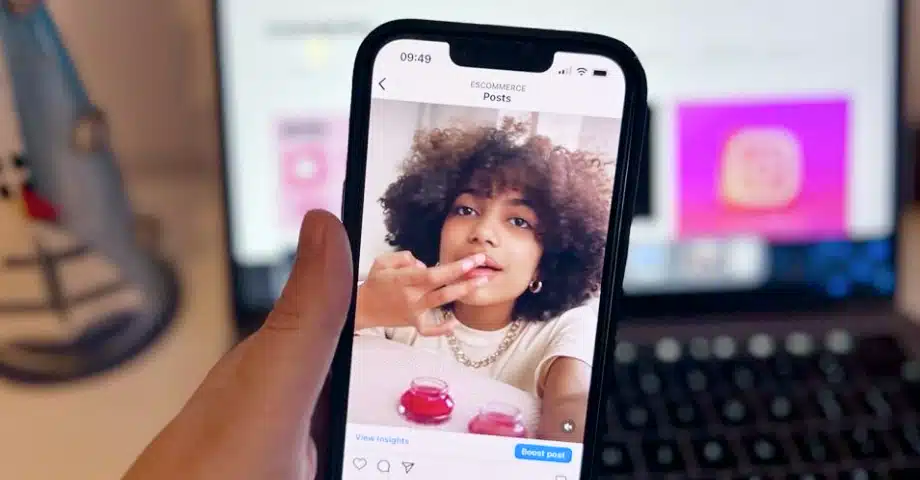

As of August 2025, Instagram officially has a built-in Repost function, which is similar to TikTok’s, i.e., you can repost anyone’s content into a separate tab on your profile.
So, instead of looking for third-party workarounds to repost others’ Posts, Reels, or Carousels, you just click a single button to re-share them. And the best part? The original creator will be credited, and you can add your own comments to reposts.
Naturally, you can still add any other user’s public content (or private content when tagged) to your Instagram Story via the airplane button and/or share its link anywhere else.
How to officially repost Instagram Posts, Carousels, and Reels?
With their latest August 2025 update, Instagram has officially launched a standalone ‘Repost’ feature that allows anyone to repost public Reels, posts, and carousels.
Using this feature is very straightforward:
- Step 1: Find the content (post, Reel, or carousel) you want to repost;
- Step 2: Look for the ‘Repost’ icon (2 circular arrows) and tap it;
- Step 3: Add a comment of your own via the small popup in the bottom-left corner;
- You can also tag a friend at this point.
- Step 4: Find your reposted content in the separate ‘Reposts’ section on your profile.
That is all! Now your reposted (and properly attributed!) content will live on your profile in a separate tab!

How to repost Instagram content to your Stories?
You can still use the ‘Add to story’ repost feature to reshare someone’s Instagram content to your Stories. That said, you should always credit the original creator.
Here are the steps for sharing someone else’s content to your Stories section:
- Step 1: Access the content you want to reshare and tap the ‘Airplane’ button;
- Step 2: Click ‘Add to story’ in the bottom-left corner;
- Step 3: Before reposting, you can customize your story with stickers, effects, music, text, etc.;
- Step 4: Tap on ‘Your story’ or ‘Share’ to complete the process.

That’s it! Your followers will now see you endorsing someone else’s content as your new Instagram story. After that, you also have the option to add the shared post to your Instagram Highlights, that way, the story will remain saved on your profile permanently.
Remember, if you repost someone’s content on your story, viewers can see the original poster and access their account.
Also, if you want to stop others from sharing your own content, you have to convert your ‘Public’ account to a ‘Private’ account.
How to repost a story in which you are mentioned?
You can repost someone’s story to your own Stories only if your account has been tagged in the original story. The process is quite straightforward:
- Step 1: Open your inbox to find the story in question;
- Step 2: Tap on ‘Add to your story’;
- Step 3: Customize the repost with text, emojis, GIFs, etc.;
- Step 4: Tap the share icons to reshare as your own story.

But what if you haven’t been tagged in the original story? See the option below.
How to repost any Instagram content manually?
The most obvious solution to resharing any type of Instagram content is to take a screenshot or a recording and then repost it yourself:
- Step 1: Take a screenshot or a recording of the content in question;
- Step 2: Edit the photo or video as you see fit;
- Step 3: Create any type of Instagram content: a post, story, reel, etc.
- Step 4: Customize the post with effects, music, and a description;
- Step 5: Credit the original poster with “@” and add a caption;
- Step 6: Tap ‘Share’ to reshare with your audience.

Pro tip: You have to manually credit the original poster when resharing by tagging them out of respect and to avoid copyright infringements.
Embed reposted UGC on your website
Did you know that you can display your reposted content outside of your social media?
Complete UGC platforms like EmbedSocial allow you to collect all the UGC from various channels, moderate it, arrange it in a gorgeous widget, and then finally embed it on your website.
Here are a few ways you can repost Instagram content on your website:
- Embed it via a hashtag feed with posts that use your branded hashtag.
- Embed a mentions feed with the posts that other people mention on your Instagram account.
- Embed an Instagram feed that includes all your public business account posts.
You can easily do all of them using EmbedSocial.
First, you have to automatically aggregate the posts with only a few clicks in order to create interactive Instagram widgets.
Best of all, this type of UGC automatically syncs on your website as you get or publish new posts. So your customers always have the best experience.
How to repost Instagram posts on your website via EmbedSocial: Step-by-step process
The process of sharing Instagram UGC to your website is extremely straightforward:
- Step 1: Create an EmbedSocial account and log in;
- Step 2: Log into your account, navigate to the ‘Sources’ tab, and choose ‘Instagram’;

- Step 3: Now choose the Instagram source type (hashtags, mentions, stories, business handle, etc.);

- Step 4: Then select one of our fantastic templates by clicking on ‘Use this template’ or build one from scratch;

- Step 5: Finally, you will be taken to the widget editor to make any changes you like. Once you are done, simply copy the code that you can paste and embed on your website.

Your widget immediately pulls all your posts once you choose a widget template. Any changes that you make at this point will be immediately reflected.
You can change anything from moderating the posts that are shown to changing the widget design, adding CTA buttons, customizing with CSS, and much more.
If you want to repost the posts that other people tagged with your @profile, in the source type page, just select the mentions option, and EmbedSocial will automatically pull all the posts that mention you, and you will be able to repost them on your website.
Why reshare Instagram posts via your brand channels?
Resharing Instagram posts through your brand’s channels offers several benefits:
- Authenticity & trust: user-generated content (UGC) often feels more authentic to audiences compared to traditional marketing, which can increase trust and relatability;
- Content variety: it diversifies your content, providing a mix of original posts and shared material, keeping your feed interesting and dynamic;
- Community engagement: by sharing content from customers or influencers, you build a sense of community and show appreciation for their interaction with your brand;
- Cost-effective content strategy: it can be a cost-effective way to maintain an active social media presence without the need to create new content constantly;
- Showcase customer satisfaction: resharing positive experiences or reviews from customers can act as powerful, organic endorsements for your products or services;
- Brand visibility & reach: when you share content from others, it can increase your visibility, as it might reach the followers of the original poster, thus expanding your audience;
- Networking & partnerships: resharing can strengthen relationships with influencers, customers, or other brands, potentially opening up opportunities for collaborations.
Incorporating reshared content into your Instagram strategy can thus enhance your brand’s online presence, community engagement, and overall marketing effectiveness.
Things to consider for an Instagram reposting strategy
Reposting content on Instagram comes with certain responsibilities and etiquette that should be followed. In that vein, you should consider all of the following:
1. Ask for permission to repost
Before reposting someone else’s content, it is courteous to ask for permission first. Reach out to the original poster through direct messages or comments and respectfully request to repost their content. Remember to wait for their approval before proceeding with your repost.
2. Give credit to the original poster
When reposting, always provide proper credit to the original poster. Tag them in your caption or on the image itself so they are acknowledged for their work. Acknowledging the creator not only respects their efforts but also helps build a supportive and connected community on Instagram.
3. Understand Instagram’s reposting policies
Instagram’s main focus is on original content creation and sharing, and they prioritize privacy and copyright laws. By not allowing direct reposting, Instagram aims to protect its users’ creative rights and prevent the circulation of unauthorized content.
Key takeaways: Instagram reposting is a valuable strategy when used right!
Mastering the art of reposting on Instagram and embedding that UGC on your website proves extremely beneficial to your social media strategy. However, you should know there are certain reposting limitations since Instagram is promoting original content.
In any case, you can always utilize various workarounds to repost any type of content on your Instagram profile. But, to avoid violating any copyright laws, you must always send a direct message to the original creator to request permission to reshare their content.
Once you do so, you will significantly boost your brand’s online presence thanks to UGC’s innate quality as a genuine social proof that speaks to your qualities. Also, you will showcase customer engagement and authenticity to get closer to your customers.






![11 Best Social Media Widgets for Websites [+Top Use Cases]](https://embedsocial.com/wp-content/uploads/2023/03/Social-Media-Carousel-widget-template.webp)