



What is a YouTube Video Aggregator

Add YouTube feed on your WordPress website in just a few seconds!
With our powerful social media aggregator tool, you can embed YouTube feed widgets on any eCommerce platform or CMS such as WordPress.
It is one of the best YouTube plugins, offering free and premium versions.
EmbedSocial is a premium plugin that works with the latest YouTube API. It is designed to help you easily create and display an engaging YouTube feed on your WordPress website.
Since your company might already have a YouTube account, it's a shame not to use that content on your website.
Instead of manually adding YouTube videos to your site, you can simply upload them to YouTube, and they'll automatically appear on your website. With EmbedSocial, you can also generate and embed YouTube playlists or videos published by other YouTube users that used specific hashtags.
From fashion to music, cooking to fitness, businesses turn to YouTube to showcase bright, vibrant, and refreshing content. You can use that content as a social feed and display photos and videos from YouTube within seconds.
To ensure that your latest YouTube videos blend in with your website's design, you can choose from a variety of layouts to display them in a responsive YouTube feed on a separate page in your WordPress theme.
To make this even smoother for you, we have an official WordPress YouTube Feed plugin that you can download for the best WordPress integration.
Benefits of YouTube widget for your WordPress website
Transforms your website visitors into YouTube subscribers,
Adds great value with more engaging content,
Increases time on site, with lively and refreshing YouTube images and videos.
Drives more traffic and visitors,
Increases conversions, by displaying social proof.
Expands the reach of your YouTube videos,
YouTube Feed Widget features for WordPress
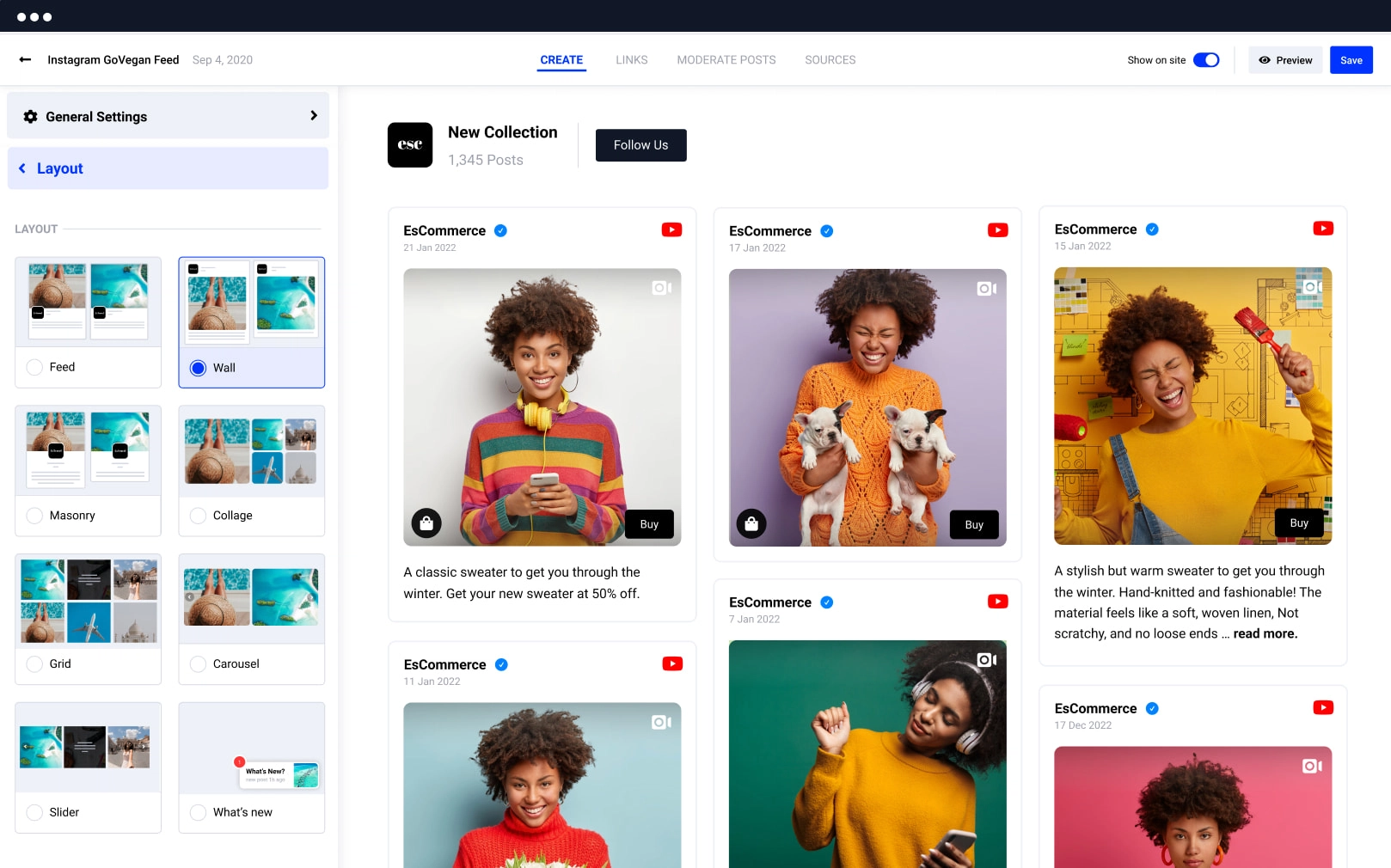
Mobile-responsive YouTube widget, It works like a charm on all mobile devices, tablets, and desktops too.
Feed customization options, Moderate the posts you want to appear on your widget and sort them by priority or filter by keyword.
Variety of ready-to-go layout options, Carousel, grid, masonry. Set media to open in a lightbox or add a "Load More" button.
Link YouTube content to your social media accounts, and add a follow button.
YouTube feed templates, that match any WordPress design.
Set the number of photos or columns, for the front-end widgets.
Automatically sync the new posts, on your YouTube widget.
Connect your widget to Google Analytics, to track your progress.
Shoppable YouTube widget, Option to add Buy buttons to each post.
Full control of the widget design, with a Custom CSS editor and color schemes.
Lazy-load scrolling or paged pagination,
Multiple YouTube feed widgets, on various WordPress websites or pages.
Combo widget, Create a combo widget with other social networks like Facebook, Instagram, Twitter, YouTube, Vimeo, and TikTok, or craft your custom one.
How to embed a YouTube feed on WordPress
Embedding a YouTube feed to WordPress has never been easier! We provide two quick options that will save you a lot of effort and time. a JavaScript code or the EmbedSocial WordPress YouTube plugin shortcode. Here are the steps:
Step 1: Set your free trial
Set your free trial for EmbedSocial.
Step 2: Connect YouTube
Select YouTube as a source and connect your YouTube channel.
Step 3: Choose YouTube feed type
From the pop-up, choose a type of YouTube feed (playlist, channel, hashtag feed).
Step 4: Customize the widget
Customize the widget to fit your website design.
Step 5: Open WordPress admin
Go to your WordPress admin and open the page where you want to embed.
Step 6: Add a Custom HTML block
In the Editor, click on the plus + icon and select "Custom HTML" block.
Step 7: Copy the embed code
Go back to our platform and copy the top-right code.
Step 8: Paste the code
Go back to your WordPress page and paste the code into the Custom HTML block.
Step 9: Set and Update
Click 'Set' and once you are done, click 'Update'.
Once you place the YouTube Feed widget code on your WordPress site, the social photo feed will immediately appear. You'll have full control over it, so feel free to edit the layout or moderate posts if needed.
Alternatively, install the official EmbedSocial plugin from wordpress.org/plugins/embedalbum-pro/ and use a Shortcode block instead of Custom HTML.
Looking for a free YouTube plugin for WordPress? Sign up for EmbedSocial's free version, and you can use the free plugin for WordPress that will showcase your YouTube videos in a grid layout, automatically.
Best practices for displaying YouTube feed

Prominent placement, Display reviews prominently on your website, such as on the homepage or in a sidebar. This ensures they are easily visible to visitors.
Clear headline, Use a clear and concise headline to draw attention to the feed. This can entice visitors to see the user-generated content and learn more about how people use your products.
Visual appeal, Incorporate images or icons to break up the text and make the feed more visually appealing. This can enhance user engagement and readability.
Slider or carousel format, Consider using our slider options that allow you to display images and videos in a slider or carousel format. This dynamic presentation can capture visitors' attention and make the widget more engaging.




