
Getting your business noticed by local customers is more crucial than ever, and one of the best ways to achieve that is by setting up a robust local business listing.
Whether you’re a small business owner or managing multiple locations on your Google Business Profile, having accurate information across all top directories in your industry is key. After all, it significantly boosts your local SEO and increases visibility.
So, how do you set up your business listing, and which local business listing service should you use? Below, I tell you everything you need to know about local business listing management and show you where to register your info for maximum visibility.
Ready to connect with local customers searching for your services?
What is a local business listing?
Definition: A local business listing is an online profile that contains key details about your business, such as its name, address, phone number, and hours of operation, and it typically appears in search engines, local business directories, various map platforms, etc.
Local business listings are crucial for enhancing your visibility in local search results, as you improve your chances of appearing in local searches by listing your business on multiple platforms, which drives more traffic and profits.
Why local business listings matter for SEO?
Local business listings are more than just a digital address book entry, as they play a crucial role in your overall SEO strategy. Here’s why they matter:

- Boost local search rankings: search engines like Google use local listings as a key factor in determining which businesses appear in local search results;
- Improve visibility in Google Maps: an accurate and optimized business listing increases the chances of your business appearing in Google Maps and boosting your Google Maps marketing, making it easier for customers to find you;
- Increase local citations: each listing acts as a citation that reinforces your business’s online presence, helping search engines verify and trust your data;
- Enhance NAP consistency: consistency in your name, address, and phone number (NAP) across all listings is vital for SEO and do not confuse search engines;
- Leverage keyword optimization: many directories allow you to include keywords in your business description, which can help you rank higher for some searches;
- Drive traffic from multiple sources: being listed on various platforms means that you are also capturing traffic from directory users directly;
- Impact on customer trust: accurate and complete online listings make your business appear more credible and trustworthy to potential customers;
- Encourage more customer reviews: listings on platforms like Google My Business and Yelp often allow customers to leave reviews, which not only influence potential customers but also provide plenty of social proof via user-generated content;
- Manage online reputation: regularly updating and monitoring your local listings helps you control your online reputation management efforts;
- Facilitate mobile search visibility: having your business listed on mobile-friendly directories is crucial for capturing on-the-go customers nowadays.
Incorporating local business listings into your SEO strategy is essential for ensuring your business not only ranks well but also stands out in the competitive local market.
How to set up your local business listing?
Creating local business listings is a very straightforward process:

Step 1: Gather your business information
Whenever you want to create a local listing for your business, you have to collect different types of information, including but not limited to:
- Name, address, and phone number (NAP): you must always include these details on every listing site and ensure they are accurate and consistent everywhere;
- Business hours: secondly, you must also provide your current operating hours to inform customers when you’re open;
- Website URL: of course, if you want them to visit your website, include a link to drive more traffic and provide additional information;
- Business categories: just as important as your NAP info, you should also choose the relevant category that best describes your business;
- Business description: be as concise and to the point as possible by highlighting your business offer with keyword-rich descriptions;
- High-quality photos and logos: every modern customer wants to see images of your business, so include high-quality ones to attract attention, especially if you’re in the process of creating a logo that represents your brand professionally;
- Payment methods: if you are selling various or charging for services, list accepted payment options to inform customers of their choices;
- Social media links: lastly, add links to your social media profiles to connect with customers across different platforms.
The above info is more or less mandated across most local business listing sites. That said, depending on the site, you may be asked to add additional info.
Step 2: Choose the right business listing sites
Selecting the right business listing sites is crucial for effectively reaching your target audience and enhancing local visibility. After all, your chosen platforms should align with your industry and the specific demographic you want to attract.
For instance, if you’re in the hospitality industry, sites like TripAdvisor are essential for connecting with travelers. On the other hand, service-based businesses, such as plumbers, find more value in platforms like Angi, as it covers local service providers.
Also, the popularity and user base of each platform should be considered.
Listing your business on widely used directories like Google Business Profile and Yelp ensures you’re visible to a broad audience. However, don’t overlook niche platforms that cater to your industry, as these can be very valuable as well.
Step 3: Create or claim your business listing
Next, you have to add your local listings to various directories, and while the process is similar everywhere, you might have to complete specific steps.
That said, there are typically four straightforward steps involved:
- Identify the platforms where you want to list your business - popular options include Google Business Profile, Yelp, and Bing Places for Business. Once you’ve selected your platforms, navigate to the business section of the website. For example, if you’re setting up a Google Business Profile, you would start by visiting the Google Business Profile homepage;
- Search for your business name in the directory - check if there’s already a listing for your business, and if there is, you need to claim it. This involves verifying your identity as the business owner through a phone call, email, or postcard;
- Create a new profile if there’s no listing - the profile creation process involves entering all the relevant business information (listed above), including NAP info, visuals, working hours, etc.; For instance, on Yelp, you would click on “Add your business to Yelp” and follow the prompts to provide the necessary details;
- Verify your new business profile - after submitting your information, some platforms require verification to ensure that only authorized users manage the business profile. As mentioned already, verification methods vary by platform.
Once verified, you can optimize your listing by adding photos, updating your business description, and ensuring all details are accurate.
Remember: Regularly update your listing to reflect any changes, such as new hours or additional services, to keep your profile current and helpful.
Note: Before listing your site on online listing sites, learn how to create your Google Business Profile in 6 simple steps and then optimize your GBP.
Step 4: Monitor and manage your listings
Keeping your online business listings accurate and up-to-date is an ongoing process. So, you must regularly monitor for information changes and use a local business listing service when there are any. There are several Google Business Profile tools available that can help you track and update your business information across the Internet.
Among the most effective tools for managing your listings are listing management platforms, such as Yext or Moz Local, which allow you to update your business information across multiple directories from one central dashboard, saving you time and reducing errors.
With these tools, you can ensure that your NAP info, business hours, and visuals are consistent on all platforms, which is crucial for maintaining your local SEO.
Additionally, your GBP Manager has built-in features for monitoring your Google listing, tracking customer reviews, viewing your GBP insights, and more.
Regularly checking these insights helps you understand how your listing performs, so you know what needs improvement. Thankfully, you can edit Google Business Profiles in bulk via Google’s built-in editing features for multi-location businesses.
Lastly, setting up alerts for online brand mentions helps you stay on top of customer feedback. That way, you can quickly respond to reviews and maintain a positive online reputation.
Top free local business listing sites in the U.S. for 2024
Getting your business listed on the right platforms is essential for enhancing your visibility and attracting customers. That said, here’s a comprehensive overview of the top free business listing sites in the U.S. that you should consider for 2024:
- Google Business Profile
- Bing Places for Business
- Apple Maps
- Yelp
- Facebook Business Page
- Better Business Bureau
- Yellow Pages
- Manta
- Superpages
- Angi (formerly Angie’s List)
- Tripadvisor
- Foursquare for Business
- MapQuest
All of the above can also be considered some of the best free business listing sites worldwide. However, a few of these come with a freemium tier.
1. Google Business Profile

Google’s Business Profile is the most critical platform for any business out there. It allows you to appear prominently in Google Search and Maps, which are the first places most people look when searching for local products and services.
By claiming and optimizing your Google local business listing, you provide potential customers with key information like your address, phone number, hours of operation, and photos of your business. Plus, you engage with them by responding to your Google reviews.
Posting regular updates, showcasing special offers, and adding your products and services also helps you establish a closer relationship with your audience base.
Overall, having a well-maintained Google Business Profile significantly enhances your chances of being found by local customers and drives more traffic to your business. That alono makes it perhaps the best free business listing site out there.
📍 Why it matters: Google Business Profile is the foundation of local SEO, directly influencing your visibility on Google Search and Maps.
Sign up for a Google Business Profile service with API access
The best way to fully utilize your Google Business Profile is to sign up for a third-party platform with direct API integration to Google Business.
One such option is EmbedSocial, and it comes with many benefits:

- Collect reviews from everywhere – if you want to automatically get reviews from all over the internet, EmbedSocial integrates with all popular review platforms;
- Automatically reply to customer feedback – you get a Google review autoresponder to send out tailored review responses based on star ratings;
- Display your customer feedback – create and showcase unique Google review badges and widgets with captivating visuals;
- Generate Google review reports – get very valuable info about your products, services, and overall business performance via review reports;
- Schedule posts on your business profile – easily create and schedule various Google Business Profile posts, keeping your profile active and relevant;
- Bulk edit your GBP information – update the business info of all your locations at once from a single dashboard.
On top of all of the above, we also offer powerful SEO management tools that will keep your local citations updated and your rank higher than your competition.
These are all the SEO tools we offer local businesses:
- Get top keywords – take a look at all the keywords people use to see your business on Google and your rank on Google for each one;
- Discover your local search rank – see how you compare to others on a local SEO heatmap;
- Remotely update your local citations – quickly update your local citations across all popular listing sites, such as Google, Yelp, Apple Maps, and Bing Places;
- Optimize your profile for best SEO performance – review quick fixes to boost your local SEO rank, such as updating your information, adding photos, and posting more.
So, if you are looking to boost your Google Maps SEO (and you should!), you will definitely need tools like these, as they allow you to stay on top of things!
2. Bing Places for Business

Bing Places for Bussiness is an important platform for businesses that want to reach Microsoft users since Bing is the default search engine for Windows, and while its market share is smaller than Google’s, it still attracts millions of daily searches.
Bing Places for Business also allows you to provide detailed information about your business, including contact details, photos, and service offerings. Plus, it integrates with Bing Maps, thus helping local customers find your physical location easily.
📍 Why it matters: Bing Places for Business captures millions of Windows users who rely on Bing as their default search engine.
3. Apple Maps

Apple Maps is the default navigation tool for all iOS and Mac devices, making it a critical platform for businesses that want to reach Apple users.
By listing your business on Apple Maps through the Apple Business Connect platform, you ensure that Apple users can easily find your location, get directions, and view your hours. Plus, as it stands, Apple holds the majority market share in the U.S.
Apple Maps is particularly important for businesses in urban areas where customers rely on their mobile devices to navigate. Additionally, users can find reviews and photos, thus getting more valuable information before even visiting your location.
For businesses considering integrating with the Apple ecosystem, you can learn more about using a Mac for your business operations here.
📍 Why it matters: Apple Maps connects your business with the vast iOS user base that depends on Apple’s native navigation system.
4. Yelp

Yelp is the go-to platform for consumers looking for trustworthy reviews before choosing a business, and a strong presence on Yelp can greatly influence customer decisions.
After all, many people rely on peer reviews to gauge the quality of services or products. By claiming your Yelp business page, you can manage how your business is presented and interact with customers through review responses.
Once you create a profile, encouraging satisfied customers to leave positive reviews can boost your rating, improve your reputation, and attract more foot traffic.
Note that Yelp also offers advertising options to increase your visibility further, but even the basic free listing can be a powerful tool for local businesses.
📍 Why it matters: Yelp drives consumer decisions through trusted peer reviews and high domain authority in local search.
5. Facebook Business Page

A Facebook Business Page is a powerful tool for connecting with customers on one of the biggest social media platforms.
Facebook is a platform for social interaction and a major player in local search, as many users turn to Facebook to find business information.
Thus, by creating a business page, you can provide essential details such as your address, phone number, and hours of operation. Also, Facebook allows you to interact with your customers directly through comments, messages, and reviews.
Lastly, Facebook’s advertising tools allow you to reach a targeted audience, making it an essential platform for brand awareness and customer engagement.
📍 Why it matters: Facebook Business Page merges social engagement with local discovery, helping you reach customers where they already interact daily.
6. Better Business Bureau

Listing your business with the Better Business Bureau (BBB) can significantly boost your credibility, as the BBB is one of the most trusted consumer protection organizations in the U.S., and many customers check BBB ratings before deciding to engage with a business.
By being listed and accredited by the BBB, you signal to potential customers that your business is trustworthy and committed to maintaining high service standards.
Not to mention that BBB accreditation can also improve your local SEO, as search engines often prioritize reputable and well-established directories in search results.
📍 Why it matters: Better Business Bureau builds credibility and trust through verified listings and customer complaint resolution.
7. Yellow Pages

The Yellow Pages has transitioned from a classic printed directory to a comprehensive online platform, and as such, it’s still very popular for finding local businesses.
A listing on the Yellow Pages allows you to reach a broad audience that may not use other digital platforms as frequently. Additionally, the online version of Yellow Pages includes features like customer reviews, business descriptions, and the ability to add photos.
All of the above can help enhance your visibility, and although its user base may skew older, it remains a valuable tool for businesses aiming to reach a diverse demographic.
📍 Why it matters: Yellow Pages remains valuable for reaching older demographics who still rely on established local directories.
8. Manta

Manta is a directory that focuses on small businesses, offering tools to help them grow their online presence. As such, a Manta business listing allows you to connect with a large audience of small business owners and consumers.
The platform also offers additional features such as business advice, networking opportunities, and marketing resources tailored for small enterprises.
Therefore, by listing your business on Manta, you increase your visibility in local searches and tap into a community of like-minded business owners.
📍 Why it matters: Manta focuses on small businesses, offering visibility in a niche community of entrepreneurs and consumers.
9. Superpages

Superpages is another established directory that helps businesses reach local consumers. Like Yellow Pages, it transitioned from a traditional printed format to a digital platform, making it easier for consumers to find businesses online.
The platform offers free listings where you can provide your contact information, hours, and services, which is particularly useful for businesses in smaller communities or those looking to attract a local audience, as it focuses on specific areas.
📍 Why it matters: Superpages strengthens your reach in local communities through a long-established and regionally focused directory.
10. Angi (formerly Angie’s List)

Angi, formerly known as Angie’s List, is a trusted platform for service-based businesses, such as plumbing, roofing, electrical work, and other similar professionals.
Angi allows customers to find and review local service providers, and businesses with strong reviews are often highlighted in search results.
So, if you own a service-based business, listing it on Angi can help you reach a highly targeted audience specifically looking for your services.
Additionally, Angi offers tools for managing appointments, payments, and customer communications, making it a comprehensive platform for service professionals.
📍 Why it matters: Angi (formerly Angie’s List) connects service professionals with ready-to-buy local customers searching for trusted providers.
11. Tripadvisor

For the hospitality and tourism sectors, Tripadvisor is a must-have listing. The platform is used by millions of travelers worldwide to find hotels, restaurants, attractions, and more.
A strong presence on Tripadvisor can drive significant traffic and bookings, especially if your business has plenty of positive reviews.
The platform allows you to post photos, respond to reviews, and update your listing with special offers, which enhances your appeal. Whether you’re a hotel, restaurant, or tour operator, Tripadvisor is essential for reaching travelers.
📍 Why it matters: TripAdvisor influences travel-related purchases by ranking highly in searches for hotels, restaurants, and attractions.
12. Foursquare for Business
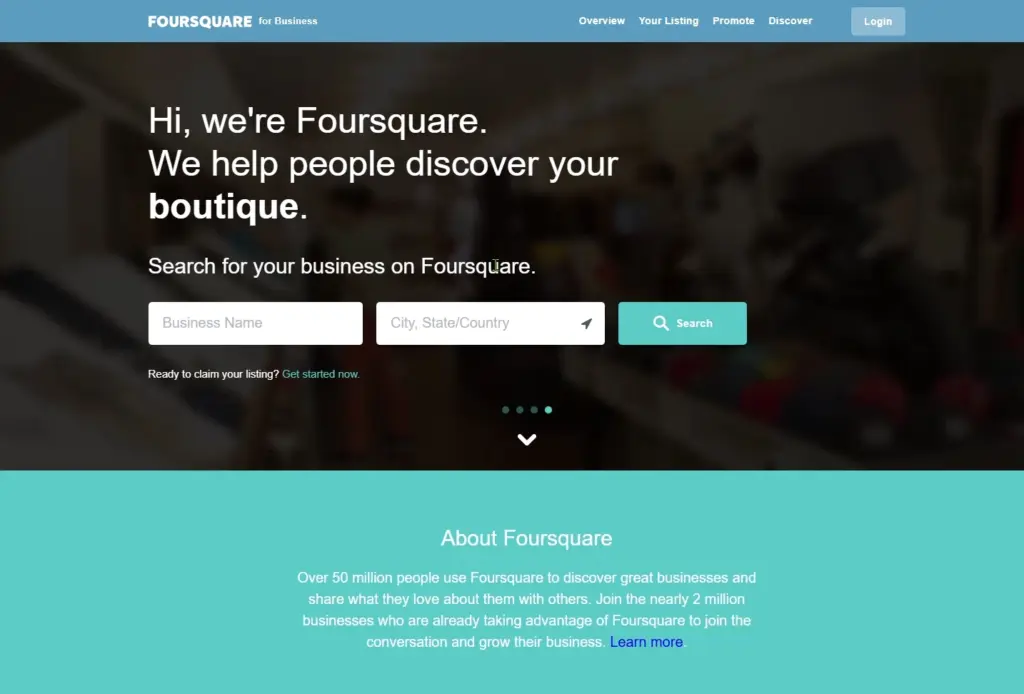
Foursquare for Business helps brands connect with nearby customers through precise location data and discovery tools. This platform powers local search for many major apps and enables users to find places based on real-time activity and preferences.
By listing your business on Foursquare, you make it discoverable across a network of apps and services that use Foursquare’s Places API, such as Uber and Apple Maps, which extends your reach far beyond its native app audience.
After claiming your business, you can add accurate details such as NAP information, hours, categories, and photos, and update them whenever needed. The platform also allows you to view analytics about visitor patterns, peak hours, and customer demographics.
📍 Why it matters: Foursquare’s data powers billions of location-based searches monthly, meaning your listing influences visibility across multiple ecosystems, not just one.
13. MapQuest

Last but not least, let’s cover MapQuest, which is a valuable platform for businesses looking to enhance their local SEO, even if it isn’t as popular as Google Maps.
Listing your business on MapQuest ensures that customers using this platform can easily find your location, get directions, and check out your customer reviews.
Businesses can also add photos, which can help them become more attractive to potential customers. So, why not cover all your bases in online mapping and navigation by ensuring that your business location is also added to MapQuest?
📍 Why it matters: MapQuest supports your presence across alternative navigation platforms used by millions of drivers each month.
10 best practices for the best local business listing management
Since listing businesses effectively is crucial for maximizing your online visibility, you should follow a few proven practices to get the most out of all free listing sites:

- Consistency across platforms: ensure your business’s name, address, and phone number (NAP) are identical across all directories;
- Use accurate business information: regularly update your business details, including hours of operation, to ensure correct information at all times;
- Encourage customer reviews: actively request online reviews from satisfied customers to boost your online reputation and improve local SEO;
- Respond to reviews: engage with both positive and negative reviews to show you value customer feedback and are committed to improving your services;
- Optimize Google Business Profile: update and optimize all the information and visuals in your Google Business Profiles, especially your GBP attributes;
- Leverage listing management tools: utilize tools to manage and update your listings across multiple directories efficiently;
- Monitor your listings regularly: frequently check your listings for accuracy and respond promptly to any changes or customer feedback;
- Utilize photos and videos: add high-quality images and videos to your listings to make them more attractive and informative to potential customers;
- Claim your listings: ensure you have claimed your business listings on all relevant platforms to maintain control over your online presence;
- Track performance metrics: use analytics tools to monitor how your listings are performing and adjust your strategy as needed for better results.
By following these best practices, you’ll maintain accurate and consistent business listings, helping you build a strong online presence and connect with more customers.
That said, inconsistent information across platforms is a common pitfall in managing local business listings. So, regularly audit your listings to maintain uniformity.
Another common issue is neglecting customer feedback. Failing to respond to negative and positive reviews or not encouraging reviews can harm your reputation.
Lastly, many businesses overlook smaller directories, thus missing out on targeted audiences that could drive conversions and a competitive advantage.
Conclusion: Place free business listings everywhere & boost your trustworthiness!
Maintaining accurate local business listings across every popular business listing site is essential for boosting your SEO and improving customer trust.
Ensuring your business is listed on key local listing sites like Google Business Profile, Yelp, and others makes it much easier for your target customers to find you.
However, to succeed, you must stay proactive in managing your free business directory listings.
So, update your information across all relevant listing sites when you make a change. Moreover, engage with customer reviews and use tools to track performance. Also, don’t overlook smaller directories, as they provide access to highly targeted audiences.
Following the above best practices can build a strong foundation for attracting more local customers and driving business growth in 2025 and beyond.
You know, you can utilize EmbedSocial’s advanced AI agent that will respond to customer feedback in your name, using your brand voice! Try it today!





![11 Best Social Media Widgets for Websites [+Top Use Cases]](https://embedsocial.com/wp-content/uploads/2023/03/Social-Media-Carousel-widget-template.webp)
![How to Embed Testimonials on Website in 2026 [2 Methods + Tips]](https://embedsocial.com/wp-content/uploads/2022/11/testimonials-dark-single-slider.jpg.webp)
