
NewAnnouncing Filter your feed by source, just ask the AI

Instagram Stories Widget for Shopify

The easiest way to display Instagram Stories on your Shopify store on autopilot.

Nick Poggi, TrovaTripRyan HazlewoodZanna Ollove, Boston CollegeBrooks Hitzfield, Seven Sons

Loved by 300,000+ big and small brands. World-famous and local

Mercedes-BenzFordEmiratesUniversalBest WesternVaynerMedia

About Instagram stories for Shopify

embed instagram stories widget

The easiest way to display Instagram Stories on your Shopify store on autopilot.

EmbedSocial helps you generate your latest Instagram stories and automatically displays them on your Shopify store in a form of an engaging widget your online customers can’t resist.

Replicate the familiar Story experience on your Shopify homepage store or an inner page, and add a checkout link to each of the products displayed in the Story to provide a smooth shopping experience and encourage potential sales. No coding skills are required.

Try a combination of your Instagram, TikTok, or any media in a Story format and embed them on your online store to attract customers and drive more sales.

Our Story widgets are completely customizable, interactive, and fully mobile responsive, so they can fit any Shopify design and help you create a unique shopping experience that will make your store stand out, effortlessly!

Benefits for Shopify websites

  • Display your products , in a stunning Story widget

  • Entertain your visitors , with a familiar Story format

  • Boost your conversions , with shoppable Story widgets

  • Get lower bounce rates , and more time spent on your store

  • Grow your Instagram followers base ,

Instagram stories features for Shopify

Shoppable Instagram Stories widget for Shopify
  • Mobile-responsive and fully customizable , widget designs that fit every Shopify theme

  • Custom CSS option , for complete control over the widget look

  • Shoppable CTA buttons , on every Story

  • Media reordering , and handpick the desired Stories you want to be published

  • Combine multiple Stories , from several sources into a Gallery format

  • Transform stories , into the fast-loading AMP story format

  • Bookends , to add related links at the end of your widget

  • Highlights widget , that replicates the Highlights functionality

  • Display your latest Instagram Stories , in the widget, automatically

  • Option to create unlimited Story widgets , with a variety of layouts

  • Convert Stories to Instagram Story Ads ,

  • Advanced reports , to track your progress

How to embed Instagram stories in Shopify

EmbedSocial helps you display the perfect widget for your Shopify store in just a few clicks. All you need to do is craft your desired widget and select the page where you want the Instagram widget to be shown, on an inner page or on your Shopify home page.

  1. Step 1: Start free trial for EmbedSocial

    Start free trial for EmbedSocial and connect your Instagram account.

  2. Step 2: Customize the widget

    Customize and modify the story widget.

  3. Step 3: Copy the HTML code

    Copy the provided HTML code located in the top right corner.

  4. Step 4: Open Shopify Online Stores

    Log in to your Shopify account, choose ‘Online Stores’ and click ‘Pages’.

  5. Step 5: Add a new page

    Click to ‘Add Page’, and in the editor click the ‘Show HTML’ icon.

  6. Step 6: Paste the code

    In the HTML editor, paste the generated code from EmbedSocial.

If you need any additional help or guidance through this process, feel free to reach out to our dedicated customer service team and we will be happy to help you create a superb experience for your Shopify customers.

Add Instagram Stories on your Shopify homepage

  • Option 1 , Add Instagram Stories in a Shopify inner page, see the 6-step guide above for the inner-page method.

  • Option 2 , Add Instagram Stories on your Shopify homepage, follow the first 3 steps above to create an EmbedSocial account and copy the provided widget code, then open your Shopify Online Stores, select ‘Pages’ and click ‘Customize’, click to ‘Add section’ and select the ‘Custom section’, click to ‘Add Content’ and click ‘Custom HTML’, then paste the code in the HTML field and tap to ‘Save’ it.

Best practices for displaying Instagram Stories
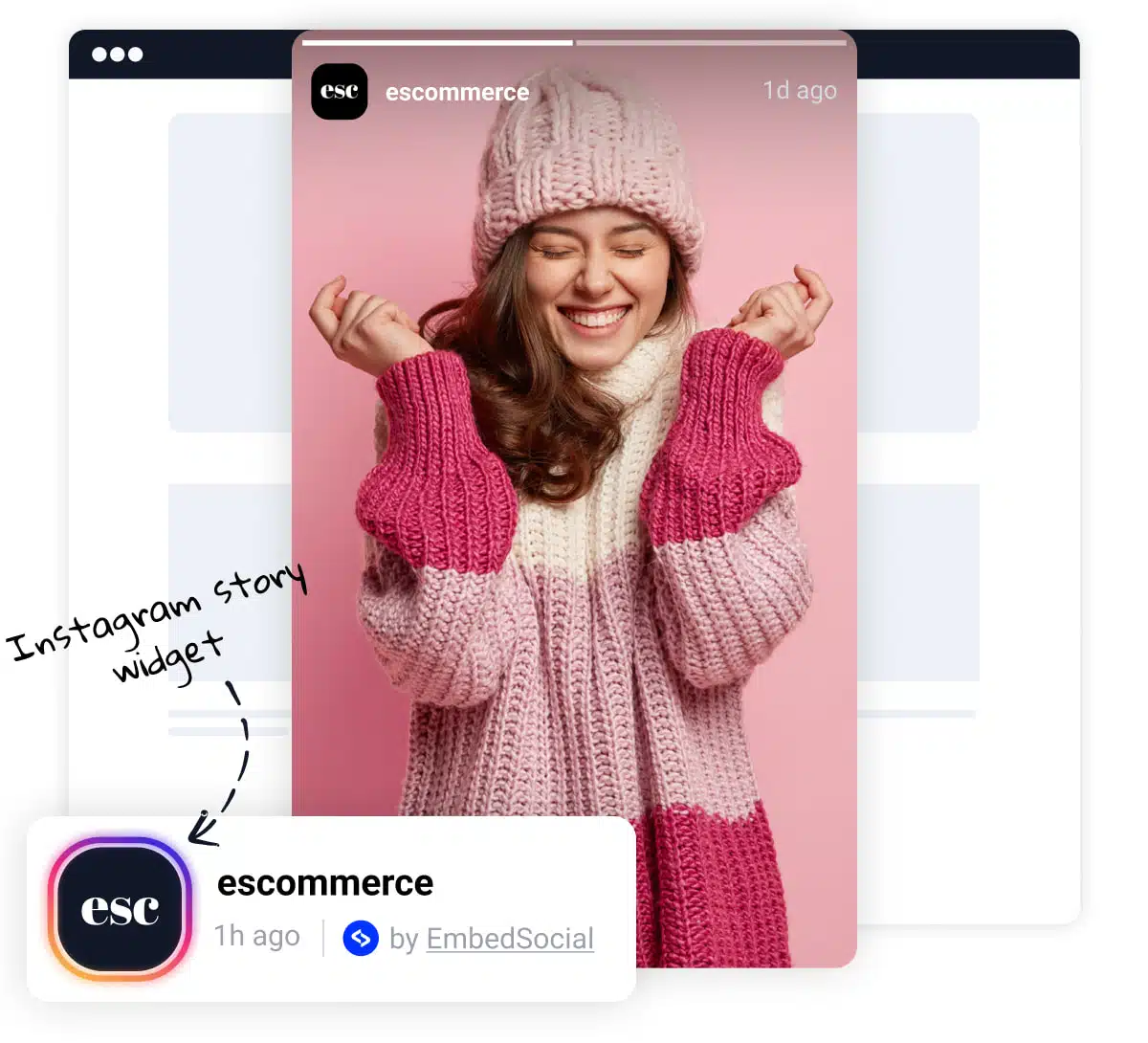
Best practices for displaying Instagram Stories on Shopify
  • Prominent Placement , Display Stories prominently on your Shopify store, such as on the homepage or above the fold on a product page. This ensures they are easily visible to visitors.

  • Shoppable CTAs , Add shoppable buttons to each Story so visitors can tap and check out without leaving the Story flow.

  • Visual Appeal , Incorporate images or icons to break up the text and make the widget more visually appealing. This can enhance user engagement and readability.

  • Slider or Carousel Format , Consider using our slider options that allow you to display Stories in a slider or carousel format. This dynamic presentation can capture visitors’ attention and make the widget more engaging.


Frequently asked questions

FAQs about the Instagram Stories widget

Have a specific question about embedding the Instagram Stories widget on Shopify? Check the FAQ section below or click the bottom right chat icon and talk with us.

Does the widget automatically update?

Yes! The EmbedSocial platform integrates with the Instagram API and allows you to connect your Facebook accounts that manage Instagram profiles. And once you do this the platform will continue to automatically generate all the stories you publish on Instagram.

Can I moderate the slides in my Instagram story?

Yes! Within the moderation option, you can handpick which Instagram posts you want to be shown on your published widget.

Can I make my story widget shoppable?

Yes. All you need to do is add a custom ‘Buy’ buttons on any media you need, so next time your website visitors click on that CTA button, they will be redirected to the checkout page where they can buy the promoted product.

Can I customize my Instagram story widget?

Yes! We encourage you to explore all the widget layouts, moderation, and customization option available within the platform. Additionally, if needed, try our custom CSS editor for a complete makeover of the widget appearance.

Is the widget compatible with Shopify themes?

Absolutely. The EmbedSocial Story widget works with every Shopify theme that supports custom HTML or custom section embeds.

Will my widget stop working if I cancel?

Unfortunately, yes. We will do our best to help you get the best experience from our EmbedSocial tool, but if you don’t find it valuable and decide to cut-off the subscription, we will have to remove the Instagram Story widget that was published on your website.

Ready to embed Instagram Stories on Shopify?

Turn your Instagram Stories into a shopping experience your customers can’t miss.

$

29.00

month

Don’t let valuable content go unnoticed. Embed Stories on your Shopify store to drive product discovery, boost conversion, and save hours of manual work.

  • ✓ Shoppable Story widgets
  • ✓ Auto-sync Instagram Stories
  • ✓ AMP story format
  • ✓ Bookends and CTA buttons
  • ✓ Custom CSS control
  • ✓ Match your Shopify theme.

Official API integrations

EmbedSocial has official API integrations with all major social media networks.

Fast-loading widgets

We design interactive social media widgets that load fast on your website.

Risk-free

If it’s not for you, cancel or request to delete your account.

Dedicated support team

Just click the bottom left chat icon, and our team will assist you in real-time.

What our users are saying:

Nick Poggi
TrovaTrip increased booking conversion rates by 12% with customer testimonials in just 4 weeks

Nick Poggi

TrovaTrip

Ryan Hazlewood
The team at Embed Social is so easy to work with. They are very quick to respond to any special requests and fast to implement account changes. Aside from the great customer service, their products are also very easy to use and offer a lot of freedom that you can’t get with other similar products. Definitely recommend.

Ryan Hazlewood

Developer

Zanna Ollove
EmbedSocial allows us to showcase social media content on our web pages in a way that’s both functional and vibrant. Their library of social feed designs integrates seamlessly with our existing components and is easy to use for page editors of all skill levels.

Zanna Ollove

Boston College

Brooks Hitzfield
The experience with EmbedSocial has been amazing. We’re always looking for ways to leverage our time, so finding a product to keep our reviews fresh automatically was a no-brainer.

Brooks Hitzfield

Seven Sons

